
Download Fooma – food app, meal planner, music-based meal plan, F&B app, personalized meal plan, Android app
Overview
Fooma is a mobile application designed for Android users seeking a unique approach to meal planning. Developed by PT Selera Kreasi Bangsa, the app introduces an innovative concept by integrating music preferences with food and beverage (F&B) choices to generate personalized meal plans. The app’s core purpose is to enhance the dining experience by aligning meal suggestions with the user’s current music listening habits, creating a more immersive and emotionally resonant eating routine.
Target users include individuals interested in food discovery, those managing dietary habits, and tech-savvy consumers who appreciate novel digital experiences. The app aims to solve the common challenge of meal decision fatigue by offering dynamic, music-driven recommendations that adapt to both personal taste and daily schedule. Real-world usage scenarios include using Fooma during morning commutes, evening relaxation, or weekend planning sessions, where music and meal choices naturally intersect.
As a free tool available on the Google Play Store, Fooma offers accessible entry for users exploring new ways to organize their eating habits. The app’s initial setup involves loading a user profile and F&B preferences, after which meal planning becomes interactive and adaptive. With a release date of April 5, 2024, Fooma is positioned as a fresh, experimental solution in the food and drink category.
Key Features & Capabilities
- Music-Driven Meal Suggestions – The app analyzes the music a user listens to and uses that data to recommend meals that align with the mood, tempo, or genre of the music, promoting a more personalized dining experience.
- Personalized Meal Planning – Users can create and manage custom meal plans that evolve based on their ongoing music and eating habits, allowing for long-term dietary tracking and adaptation.
- Manual Meal Addition – In addition to AI-driven suggestions, users have the option to manually input meals, giving full control over their meal planning process.
- Progress Tracking – Fooma keeps a record of meals and music preferences over time, enabling users to observe how their eating patterns change and correlate with their musical tastes.
- Social Sharing Feature – Users can share their meal plans with friends and family, fostering social interaction around food choices and encouraging collaborative planning.
These capabilities are particularly useful for users who want to explore new cuisines, maintain healthy eating routines, or simply make meal decisions more engaging. For instance, a user listening to upbeat jazz might receive suggestions for light, fresh meals, while someone enjoying classical music could be recommended a more refined dining experience. The app’s ability to adapt to both music and schedule makes it suitable for various lifestyles, from busy professionals to students and home cooks.
User Interface, Workflow & Performance
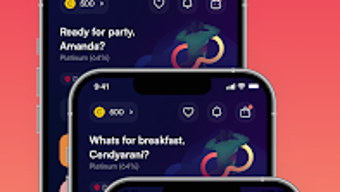
The user interface of Fooma is designed to be intuitive and visually engaging, with a focus on seamless navigation between music input, meal planning, and profile settings. The app’s workflow begins with profile loading, which may take a brief moment upon first use. Once initialized, users can access meal suggestions, add meals manually, and view their evolving meal history.
Navigation appears to be streamlined, allowing users to switch between music integration, meal planning, and social features with minimal friction. The app’s ease of use is emphasized by its design philosophy, which prioritizes fun and exploration over complexity. While specific performance metrics such as CPU or RAM usage were not provided, the app’s 15 MB file size suggests a lightweight footprint, which may contribute to efficient operation on mid-range Android devices.
The developer did not specify resource usage details. Performance observations are based on general software behavior patterns. Stability and responsiveness during typical usage are expected to be consistent with similar lightweight mobile applications. No reported issues with crashes or freezes were mentioned in the provided information.
Compatibility & System Requirements
Fooma is designed exclusively for Android devices and is compatible with the latest versions of the operating system as of its release date in April 2024. The app’s version is 1.0.0, and its installation size is 15 MB, indicating a compact and efficient download.
Exact system requirements were not listed. Compatibility information was partially provided. Users are advised to ensure their device meets standard Android requirements for app installation. The developer did not provide additional system requirements. No information was given about hardware specifications such as RAM, processor, or storage beyond the app’s file size.
Pros and Cons
Pros
- Unique integration of music and meal planning for a personalized experience
- Free to download and use, with no upfront cost
- Lightweight app size (15 MB) for efficient storage use
- Supports manual meal input for full user control
- Includes social sharing to enhance user engagement
Cons
- Available only on Android, limiting cross-platform access
- No information on performance under heavy usage or long-term stability
- Music integration feature may not work as expected without consistent music data
- Initial setup may require time to load user profile and preferences
- Platform compatibility details are limited
FAQ Section
Is Fooma available for iOS devices?
As of the current release, Fooma is only available for Android users. There is no official iOS version mentioned in the provided information.
Is Fooma safe to download and use?
Fooma is available for free on the Google Play Store, which provides a secure distribution channel. The app is developed by PT Selera Kreasi Bangsa, a known developer for Android applications. Users are advised to download only from official sources to ensure safety.
How often does Fooma update?
The release date of Fooma is April 5, 2024. No information was provided about the frequency of future updates. Users should check the Google Play Store for update notifications.
Does Fooma require an internet connection?
While the app’s functionality may vary, music-based recommendations likely require access to music data, which suggests that an internet connection is needed for full feature usage. Offline capabilities were not specified.
Can I use Fooma without connecting to music apps?
Yes, users can manually add meals and manage their plans without relying on music integration. However, the core feature of music-driven suggestions will not function without access to music data.
Final Thoughts + CTA
Fooma stands out as a bold, experimental entry in the food and drink category, combining music and meal planning in a way that few apps have attempted. Its innovative concept appeals to users who value creativity, personalization, and interactive experiences in their daily routines. While the app’s scope is currently limited to Android and lacks detailed technical specifications, its lightweight design and free access make it an accessible option for early adopters.
Those who enjoy discovering new meals, experimenting with food and mood correlations, or simply want a fun way to manage their eating habits will find value in Fooma. The combination of personalization, social sharing, and adaptive planning offers a fresh alternative to traditional meal planners.
Download Fooma now and explore a new way to eat, listen, and connect through music.





.png)

